PortraitEdit-AI-Studio
Image Editing software
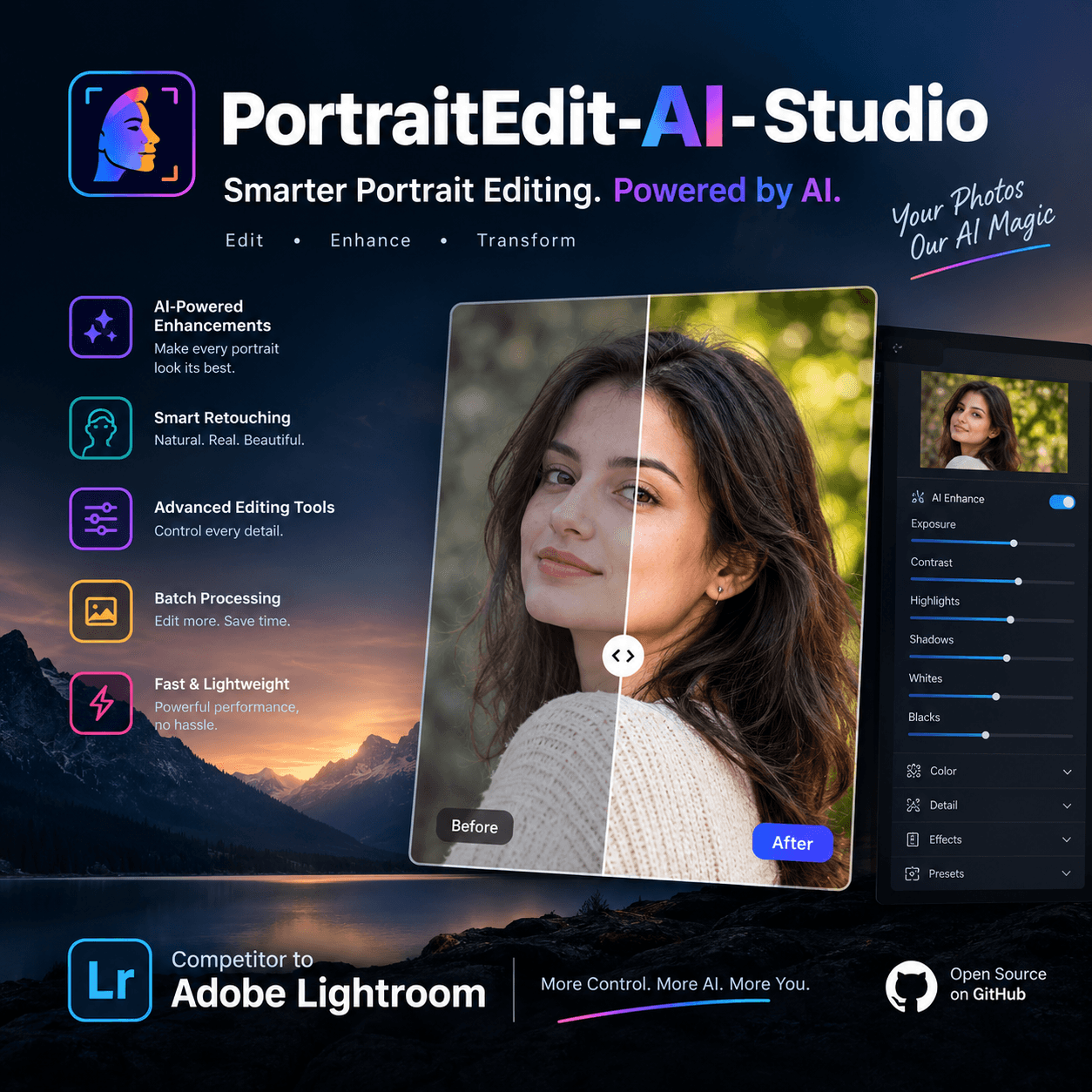
PortraitEdit AI Studio
Professional portrait editing, AI masks and automatic 8×10 alignment. Engineered & Powered by Centaq Production Team
What it does
A desktop photo editor for portrait and studio photographers. It works on photos where they already are (nothing is copied), saves every edit by itself, and exports at full quality.
- Import — an Import window: see every photo found, Check All / Uncheck All or pick by hand, Include subfolders. Photos already in the Library can't be added twice, and a dropped photo imports only that photo.
- Formats — JPG, PNG, TIFF, WebP, HEIC/HEIF (iPhone), AVIF, GIF, PSD and camera RAW (DNG, CR2, CR3, NEF, ARW, RAF, ORF, RW2, PEF and more).
- Library — Grid of every photo, Loupe for one, filmstrip, colour labels, sort, search.
Remove (
Delete) really takes photos out of the Library (with Undo); disk files are untouched. - Fast editing — photos are prepared in the background when they enter the Library (like standard previews), so opening and editing don't wait. Only AI masks show a progress bar. Each open photo is also rendered at full resolution in the background (like 1:1 previews), so zooming in, out or to 100% is instant and sharp.
- Orientation — phone photos open upright automatically (EXIF). Rotate
Left/Right with
Ctrl+[/Ctrl+]or Photo › Rotate. The turn is saved and used everywhere, including exports. - Crop & Straighten — ratios, Angle slider, Auto level, 90° turns,
Xswaps portrait/landscape. Drag outside the crop box to turn the photo with the mouse; Ctrl/⌘-drag is the Straighten tool. - Metadata — Keywording and Metadata panels: the camera's EXIF (camera, lens, exposure, date, GPS), plus your own Title, Caption, Keywords, Creator, Copyright and custom fields, all searchable and written into exports (EXIF + XMP).
- Histogram — clipping shown on the photo (
J), drag a zone to change Blacks, Shadows, Exposure, Highlights or Whites; camera settings and RGB % underneath. - More panels — Tone Curve, Color Grading, Detail (sharpening, noise reduction), Effects (vignette, grain) and Calibration.
- Auto — Auto tone and white balance (
Ctrl+U,Ctrl+Shift+U). Sync can match light and colour across a series shot in changing light. - Culling — 1–5 stars, Pick/Reject flags (
P/X/U), rating and flag filters, Remove Rejected. - Colour — Colour Mixer with Point Color (pick any colour, shift it), White Balance picker (
W), with an eyedropper and magnifier. - Develop — Basic panel (linear-light Exposure and White Balance, edge-aware Highlights/Shadows, Clarity, Texture, Dehaze, Vibrance), Colour Mixer, crop, and before/after views. Grid and filmstrip thumbnails show the edits.
- AI masks — Subject (any main subject, fine hair edges), Face, Skin, Hair, Clothes, Background, Objects, Brush, Color Range, Luminance, and Linear/Radial gradients. You can stack several masks per photo.
- Presets — 10 built-in develop presets plus your own. Import Lightroom presets (.xmp / .xml / .lrtemplate) and export yours as .xmp. Copy, paste or sync an edit to many photos.
- Export — JPEG, PSD, TIFF, PNG, WebP or the original file, with resize, sharpening, metadata, watermark and colour space. There are 5 built-in export presets, plus one-click File › Export with Preset.
- Pub_Casual — automatic head-safe 8:10 crop at 640 × 800 px, 300 dpi, JPEG 100.
- Catalog — folders, edits, labels and presets survive restarts. You can create a portable package with the photos.
- Menus — File, Edit, Library, Photo, Metadata, View, Window and Help, plus right-click menus on photos (grid, filmstrip, canvas) and folders. Every command shows its shortcut, and shortcuts can be reassigned.
- Themes — 7 themes plus an accent colour.
- LAN access — open the interface from a phone or tablet on the same Wi-Fi.
Supported platforms
| Platform | Status | How to run |
|---|---|---|
| Windows 10/11 (64-bit) | ✅ Main platform | Installer, run.bat, or the built .exe — see WINDOWS_SETUP.md |
| macOS 14+ (Intel or Apple silicon) | ✅ | The .dmg app, or double-click run.command (macOS 12+ from source) |
| Linux | ⚠ From source only | python3 app.py (needs WebKit2GTK for a native window; otherwise it opens in a browser) |
Python 3.9 – 3.12 (64-bit), with 3.12 recommended. The AI libraries (MediaPipe, onnxruntime) have no wheels for 3.13+ in the tested versions.
Quick start
Windows
- Install Python 3.12 (64-bit) — tick Add python.exe to PATH — and the Microsoft Visual C++ Redistributable (x64).
- Double-click
INSTALL.batto install packages and create shortcuts, orrun.batto just start. - Full requirements, the offline model download and how to build the
installer are in
WINDOWS_SETUP.md.
After the first run, START_APP_no_console.vbs starts the app without a
console window.
macOS
App: open PortraitEdit_AI_Studio_v6.1_macOS.dmg and drag the app to
Applications. The first time, right-click it › Open (or System
Settings › Privacy & Security › Open Anyway), because it is not
notarised by Apple. To build the app yourself, double-click
BUILD_MAC_APP.command.
From source: double-click run.command. The first run creates .venv-mac and
installs everything, which takes a few minutes. Later runs start straight
away.
./run.command --check   # set up and verify only
./run.command --reset   # rebuild the environment
If macOS blocks it, right-click → Open, or run chmod +x run.command.
User guide
The guide is short, with screenshots, in English and हिंदी:
- In the app — Help › User Guide, or press
F1. - In a browser —
http://localhost:5000/guide. - As a file —
GUIDE.md. Its screenshots are instatic/guide/.
Requirements
requirements.txt installs:
| Package | Why |
|---|---|
| flask ≥ 3.0 | Local web server for the interface |
| pillow ≥ 10.0 | Image info, ICC profiles, PSD/TIFF writing |
| numpy ≥ 1.24, < 3 | Image maths |
| opencv-python ≥ 4.10 | Image processing (MediaPipe also brings opencv-contrib-python; both together are fine) |
| pywebview ≥ 5.0 | Native window and real-path drag-and-drop |
| mediapipe ≥ 0.10.14 | Person-part masks (hair, face, skin, clothes), Objects |
| onnxruntime ≥ 1.17 | High-resolution Subject model |
| pillow-heif ≥ 0.18 | HEIC / HEIF photos (iPhone) |
| rawpy ≥ 0.25 | Camera RAW (LibRaw) |
Hardware. Everything runs on the processor (CPU); the graphics card is not used for processing, so a studio PC such as a Core i5 (10th gen) with a GT 1030 is fine. The app measures this computer's speed and tunes its background work to it. Help › Performance shows the result, and a faster or upgraded computer is picked up by itself.
AI models live in models/:
| File | Size | Use |
|---|---|---|
isnet_general.onnx | ~180 MB | Subject and Background masks. Downloaded on first use if missing |
selfie_multiclass_256x256.tflite | ~16 MB | Hair, face, skin, clothes |
selfie_segmenter.tflite | ~0.25 MB | Extra person coverage |
magic_touch.tflite | ~6 MB | Objects (stroke → whole object) |
efficientdet_lite0.tflite | ~14 MB | "Detect Objects" boxes |
What the app reads
Only what you add, and never a copy: photos (even dragged and dropped ones) are used where they are. If they are moved or deleted they stay in the Library marked ! with their edits, and Locate… re-links them.
The app reads the folders and photos you import, its own program files and its data folder, and it writes only exports (where you choose) and that data folder. It never searches your Desktop, Documents, other drives or the rest of your computer. Background work (thumbnails, edit previews) covers only Library photos and stops when it is done.
Where things are stored
| What | Location |
|---|---|
| App files | This folder |
| Catalog (folders, edits, labels) | catalog.json in the data folder |
| Develop presets | develop_presets.json in the data folder |
| Export presets | export_presets.json in the data folder |
| Thumbnail cache | _thumbcache/ in the data folder |
| Standard previews and finished screen-size previews (max 5 GB together, oldest removed first) | _previewcache/ (and _previewcache/plates/) in the data folder |
| Data folder | Windows %LOCALAPPDATA%\PortraitEditAI\ · macOS/Linux ~/.portraitedit_ai/ |
| Crash log | PortraitEdit_log.txt next to the app or exe · Mac app: ~/Library/Logs/PortraitEdit AI Studio/ |
Original photos are never modified. Exports are written only where you choose.
Troubleshooting
| Problem | Solution |
|---|---|
| App won't start (Windows) | Run DIAGNOSE.bat and read DIAGNOSE_REPORT.txt |
DLL load failed | Install the Visual C++ Redistributable (x64) |
| pip can't install mediapipe | Use Python 3.12 64-bit (not 3.13+, not 32-bit) |
| Orange warning in Masks | AI model or onnxruntime missing. See WINDOWS_SETUP.md §4 |
| Opens in a browser, not a window | Install WebView2 (Windows) or pip install "pywebview>=5.0" |
| Page looks broken after an update | Press Ctrl+F5 once |
| Export can't find the original folder | Use Choose a Folder… to import, or Link Original Folder in Export |
| Full health check | python check_health.py |
Development
pip install -r requirements.txt
python app.py                    # starts on http://127.0.0.1:5000 (or the next free port)

python test_masks.py             # 68 mask checks
python test_develop.py           # 62 slider / mask / rotation / straighten / format / import checks
python check_health.py           # packages, models, files, ports
Code map:
| File | What lives there |
|---|---|
engine.py | Image engine — Basic panel (apply_basic), Colour Mixer, masks (build_mask, apply_masks, AI subject analysis, source-anchored masks), crop, export, Pub_Casual |
app.py | Flask routes — preview/plate rendering, thumbnails, export, catalog, presets, guide |
static/js/app.js | The whole interface — modules, grid, menus, sliders, masks, presets, export dialog |
static/css/style.css | Layout and the 7 themes |
templates/index.html | Page markup |
GUIDE.md + static/guide/*.jpg | In-app user guide and its screenshots |
The full technical reference is in DOCUMENTATION.md, and
what changed in each release is in CHANGELOG.md.
Building
| Target | Command | Output |
|---|---|---|
| Windows installer ⭐ | BUILD_INSTALLER.bat | installer_output\Setup_PortraitEdit_AI_Studio_v6.1.exe |
| Windows portable folder | BUILD_APP.bat | dist\PortraitEdit AI Studio\PortraitEdit AI Studio.exe |
macOS app + .dmg ⭐ | BUILD_MAC_APP.command (double-click) | dist/PortraitEdit AI Studio.app and installer_output/PortraitEdit_AI_Studio_v6.1_macOS.dmg |
BUILD_APP.bat refuses to build without mediapipe and onnxruntime, and
downloads the Subject model if it is missing. Both specs bundle models/,
static/ (including the guide screenshots), templates/ and GUIDE.md.
Clean build: delete build/, dist/ and installer_output/.
Project structure
HeadAlign_v4.2/
├── app.py · engine.py · requirements.txt
├── templates/index.html
├── static/
│   ├── js/app.js · css/style.css · icon.ico · icon.png
│   └── guide/                      # screenshots used by GUIDE.md
├── models/                         # AI models (see Requirements)
├── haarcascade_frontalface_default.xml · sRGB_IEC61966-2-1.icc
│
├── GUIDE.md                        # user guide (English + हिंदी, shown in the app)
├── README.md · DOCUMENTATION.md · CHANGELOG.md · WINDOWS_SETUP.md · RELEASE_NOTES_v6.0.md
├── test_masks.py · test_develop.py · check_health.py
│
├── run.command                     # macOS launcher (from source)
├── BUILD_MAC_APP.command           # macOS .app + .dmg build
├── run.bat · START_APP_no_console.vbs · start_hidden.bat · Launch_App.vbs
├── INSTALL.bat · Install_App.ps1 · UNINSTALL.bat
├── BUILD_APP.bat · BUILD_INSTALLER.bat · PortraitEdit_Setup.iss
├── PortraitEdit_Distribute.spec · PortraitEdit_macOS.spec · static/icon.icns
└── DIAGNOSE.bat · CHECK_SYSTEM.bat · START_HERE.txt
Release history
| Version | Notes |
|---|---|
| 6.0 | Library/Develop modules, Grid and Loupe, menu bar, full-width filmstrip, edited thumbnails, develop presets (.xmp in/out, Lightroom-compatible), copy/paste/sync with scene match, export presets, new themes. Accurate, natural sliders (highlight recovery, Alt-clipping, scrubby values), Tone Curve, Color Grading, Detail, Effects, Calibration, Auto. New AI Subject model, multiple masks, feathered brush, gradients, luminance range. Metadata and keywords. Instant photo switching and zoom, tuned to each computer. New guide with screenshots. See CHANGELOG.md |
| 5.7 | Windows setup installer, portable catalog with photos, clean port-5000 restart |
| 5.1 | Editing suite, catalog, LAN access, bilingual guide |
| 4.2 | Head alignment engine, auto-save |
Support
- Guide: Help › User Guide (
F1) - System check: Help › System Check, or
python check_health.py - Windows report:
DIAGNOSE.bat→DIAGNOSE_REPORT.txt - Crash log:
PortraitEdit_log.txt